




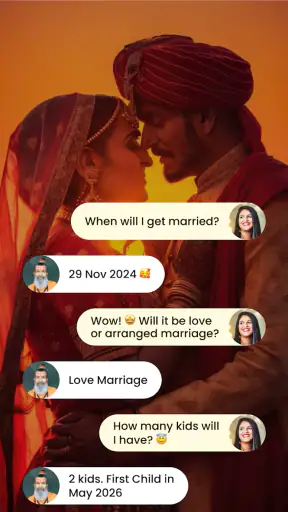
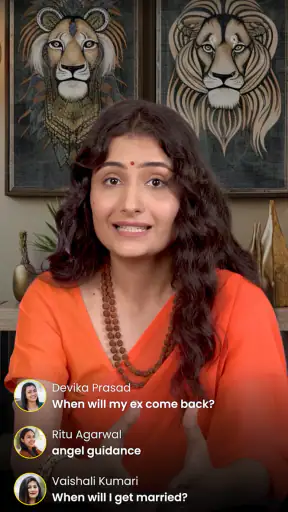


I approached Astrotalk - Talk to Astrologer as a lifestyle app for people who want quick access to astrology, horoscope guidance, and tarot conversations rather than a simple daily horoscope page. The central idea is straightforward: instead of reading one general prediction and moving on, you can explore a more personal discussion with an astrologer online. In my experience, that makes it feel closer to a consultation marketplace than to a traditional horoscope reader.
The app is free to install, carries an Everyone content rating, and comes from the developer Astrology & Horoscope. Its popularity is hard to overlook: it has passed 100 million installs and holds a 4.7 average from around 1.7 million ratings. Those figures suggest that many people find the format approachable, although popularity alone does not tell you whether the style of guidance will suit your expectations.
How clearly the app supports different readers and situations
Readability and navigation when you want an answer quickly
The strongest part of the concept is the direct path from curiosity to conversation. If I am wondering about a relationship, work decision, family concern, or a general horoscope topic, a live-chat format feels more purposeful than scrolling through a long collection of unrelated articles. Astrology and tarot are presented as ways to start a focused exchange, so the app is easier to understand when I already know what I want to ask.
That focus matters for people who find dense menus tiring. A user does not necessarily need to learn an elaborate system before getting started. The familiar language of horoscope prediction, astrologers, and tarot gives the product a recognizable structure. Someone who has used a horoscope app before can usually understand the basic promise without studying instructions.
Still, I would not confuse a clear premise with perfect navigation. A consultation app can become mentally busy once there are many possible advisers, subjects, and conversation choices. People who prefer a calm, linear reading experience may feel more comfortable with a conventional daily horoscope app, where the main action is simply opening a prediction. Astrotalk is more useful when I am willing to make a choice and take part in a conversation.
For better readability, I recommend entering a session with one main question and a short list of supporting details. This is a practical advantage rather than a feature claim: a narrow question is easier to read, type, remember, and discuss than a long message covering every worry at once. It also helps users who lose concentration in extended chats because they can return to the original purpose instead of trying to follow several threads.
The app’s current version is 1.1.523, and it supports devices running Android 7.0 or later. That broad operating-system reach is helpful for people who keep an older phone, although the experience will naturally depend on the handset, display, keyboard, and system settings being used. On a small screen, long conversations can require more scrolling, so I would keep notes outside the chat if remembering details is difficult.
Motor and sensory considerations during a consultation
A chat-based consultation has an important advantage for users who would rather type than speak. I can formulate a question at my own pace, reread it before sending, and avoid the pressure of explaining a personal subject aloud. That can make the experience more comfortable for someone who is shy, anxious in live conversations, or communicating in a noisy environment.
Typing is not automatically easy for everyone, though. Users with limited hand movement, tremors, repetitive-strain discomfort, or difficulty using a small touchscreen may find repeated message entry tiring. In that situation, the practical experience depends heavily on the phone’s keyboard and built-in accessibility tools. Larger text, voice input, switch controls, or an external keyboard may help where the device supports them, but I would test those tools with ordinary messages before beginning an important consultation.
People with low vision should pay attention to how comfortably they can read adviser profiles and chat text on their particular device. Enlarging system text can improve legibility, but it may also cause more wrapping and scrolling. I would choose a well-lit setting, increase contrast through the phone’s own settings when useful, and avoid starting a lengthy exchange while tired. These are simple adjustments, yet they can make the difference between a thoughtful conversation and an exhausting one.
For users with hearing loss, the text-first nature of a live chat can be more convenient than an audio-centered service. It keeps the essential exchange visible rather than requiring someone to follow spoken words. Conversely, users who depend on spoken interaction may find typing less natural, especially when they want to explain a complicated concern. The app’s basic appeal is therefore uneven: it is naturally friendly to readers and typists, but less obviously comfortable for people who need a voice-led experience.
Sensory load is another consideration. Astrology and tarot can be emotionally engaging, particularly when a user is already worried about love, money, health, or the future. I find it healthier to treat the conversation as reflective entertainment or personal guidance, not as a substitute for medical, legal, financial, or mental-health advice. If a message increases fear rather than helping me think clearly, I would pause instead of continuing simply because the subject feels urgent.
Situational access in everyday life
The most realistic use case for me is a short evening check-in after a difficult day. Imagine receiving an unclear message from someone close to you and wanting to organize your thoughts before replying. Astrotalk can provide a place to frame the question, consider a tarot or astrology perspective, and slow down the impulse to send an emotional response immediately. The value is not that the app can prove what another person thinks; the value is that a guided conversation may help you articulate what you are feeling.
It can also fit a quieter personal routine. A user might open it during a commute, while waiting for an appointment, or during a private break and write a question instead of searching across several websites. The live-chat approach is more personal than a generic zodiac paragraph, while still being more convenient than arranging a traditional in-person appointment. That middle ground is where the app makes the most sense to me.
Privacy and surroundings matter in those situations. A person in a shared office, crowded bus, or family room may not want a sensitive conversation visible on the screen. Text input avoids the need to speak aloud, but it does not remove the risk of someone seeing the display. I would use a private setting, lock the phone when finished, and avoid entering information that is unnecessary for the question.
The app may also suit users who want different viewpoints rather than one fixed daily message. Someone interested in both horoscope interpretation and tarot can approach the same concern from more than one tradition. That flexibility is useful for exploration, but it can also encourage indecision if I keep seeking another answer whenever the first one is uncomfortable. I get more from it when I use a session to reflect, then make my own decision.
For older adults or first-time astrology users, the familiar subject matter can be inviting, but the live-chat model may still require confidence with mobile typing. A patient setup helps: increase text size if needed, prepare the question in a notes app, and use short sentences. For younger users, the Everyone rating makes the app broadly approachable, but age suitability should not be confused with emotional suitability. A child or teenager dealing with serious distress still needs support from a trusted adult or qualified professional rather than relying on predictions.
Where the experience still creates barriers
The biggest barrier is expectation management. A store summary can make live astrology and tarot sound like a quick answer machine, but real value depends on how clearly I communicate and how critically I interpret the response. Users looking for objective evidence, guaranteed predictions, or a definitive answer to a high-stakes problem are likely to be disappointed. A standard information source or qualified professional is a better choice when accuracy has practical consequences.
There is also a cognitive barrier for people who have trouble comparing choices. A live consultation introduces decisions about what to ask, how much context to provide, and when to stop. That freedom is attractive to experienced users but can feel vague to someone who wants a single button and a short result. I would not recommend it to a reader who dislikes open-ended conversations or feels pressured by decisions involving personal guidance.
Typing and scrolling remain physical barriers even when the subject itself is accessible. Long messages can be hard to track, and switching between reading, composing, and remembering details can be tiring. One useful workaround is to divide a complicated concern into three parts: what happened, what I feel, and what decision I need to make. This structure reduces the amount of text I have to hold in my head and makes the conversation easier to revisit.
Another limitation is that astrology and tarot are interpretive practices. Two conversations may leave users with different impressions, and a reassuring response is not necessarily a reliable forecast. I would be especially cautious around health symptoms, debt, employment choices, relationship safety, and legal matters. The app can support reflection, but it should not replace qualified help or direct communication with the people involved.
Compared with a free daily horoscope website, Astrotalk offers a more interactive route and a stronger sense of personal attention. Compared with a traditional appointment, it is more immediate and less formal, but it may not provide the same continuity or depth that someone expects from an established practitioner. Compared with a meditation or journaling app, it gives interpretation from an astrologer or tarot perspective rather than keeping the reflection entirely in the user’s own hands. Choosing between them depends on whether I want conversation, self-guided reflection, or practical professional advice.
What I would do before starting a chat
I would first decide whether I want entertainment, emotional reflection, or a specific question. That distinction prevents me from treating an interpretive answer as a promise. I would then write down the question in plain language, remove details that are not needed, and decide what kind of response would actually help. This preparation is especially useful for users with attention, memory, or communication difficulties.
I would also set a personal stopping point before opening the app. If I am tempted to keep asking the same question until I receive the answer I want, the conversation is no longer helping me think. A short pause after reading the response is often more valuable than immediately searching for another interpretation. For sensitive topics, I would discuss the practical issue with a trusted person or appropriate professional as well.
On the device itself, I would check text size, keyboard comfort, screen brightness, and any accessibility tools I already rely on. I would not assume that a setting that works in another app will feel identical here, particularly if the session involves a lot of reading. If typing is painful, voice input may reduce effort where supported by the phone, but I would remember that private surroundings still matter.
One less obvious benefit of preparing this way is that it separates the emotional question from the prediction. Instead of asking, “Will everything be fine?” I might ask, “What are the choices I am avoiding, and what would I need to clarify?” That wording gives the consultation a more useful purpose and makes it easier to turn the experience into a real-world next step.
Who should choose it, and who should skip it
I think Astrotalk is a good fit for curious adults who enjoy astrology or tarot, prefer written conversations, and want something more personal than a generic zodiac update. It is also worth considering for people who like to reflect through questions and can keep interpretive guidance in perspective. The free price lowers the barrier to trying the format, while the familiar lifestyle category makes the app easy to understand.
I would be more cautious if I were choosing an app for someone with severe reading fatigue, significant difficulty typing, or a strong need for spoken interaction. Those users may find a different format more comfortable. I would also skip it for urgent medical, financial, legal, or safety decisions. In those cases, the convenience of an online astrology conversation is not a substitute for qualified, evidence-based assistance.
The app’s large audience and 4.7 average rating show that its approach resonates with many users, but neither figure guarantees a meaningful personal session. The right match depends on expectations, communication style, and the ability to stop when the guidance becomes unhelpful. I see it as a tool for exploring feelings and questions, not as an authority that should make decisions on my behalf.
My inclusive verdict
After looking at the app through the lens of different abilities and everyday contexts, I find its most inclusive quality to be the text-based, on-demand nature of the experience. It can be easier than a voice call for people who need time to compose themselves, prefer reading, or cannot comfortably speak in their surroundings. The broad Android support and Everyone rating also make it approachable for a wide range of users.
At the same time, accessibility is not just a matter of being able to open the app. Small-screen typing, extended scrolling, emotional intensity, and the open-ended nature of consultations can all create friction. Users should adapt their phone settings, prepare focused questions, protect their privacy, and keep practical decisions grounded in reliable sources. Those steps do not change what the app is, but they can make its use more manageable.
My final view is positive but measured: Astrotalk works best as a reflective conversation space, not a replacement for professional advice or personal judgment. If you enjoy astrology and tarot and want a more interactive alternative to a daily horoscope, I can see why it has attracted over 100 million installs. If you need certainty, clinical support, or a low-effort reading experience, another kind of app will serve you better.
For the right user, the app’s real strength is the chance to turn a vague feeling into a clearly stated question. That can be useful even when the answer is symbolic rather than factual. I would recommend trying it with modest expectations, a private setting, and one well-defined topic. Used that way, Astrotalk - Talk to Astrologer feels approachable, flexible, and genuinely interesting, while its limitations remain clear enough to make an informed choice.


